By L8MS Team · Updated 10 Nov 2026
Click Tests on an asset to open Tests on asset in location. Tests are grouped by PPM (the piece of work they belong to), with its frequency and responsibility.
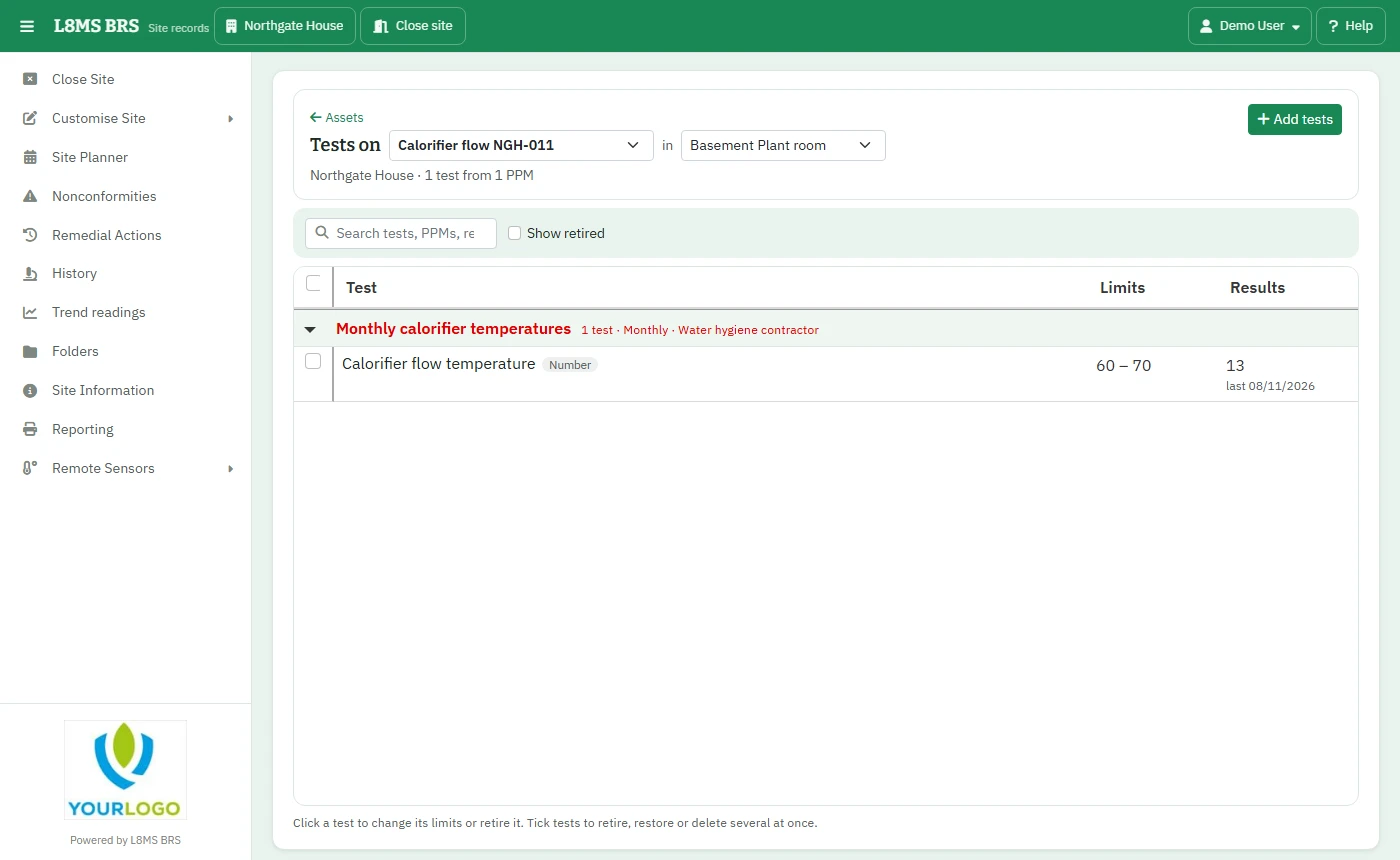 Tests on an asset.
Set limits
-
Click a test. For number tests the panel has Limits on this asset: Low limit and High limit, plus the Low result risks and High result risks — the risk given to a reading that far outside the limit.
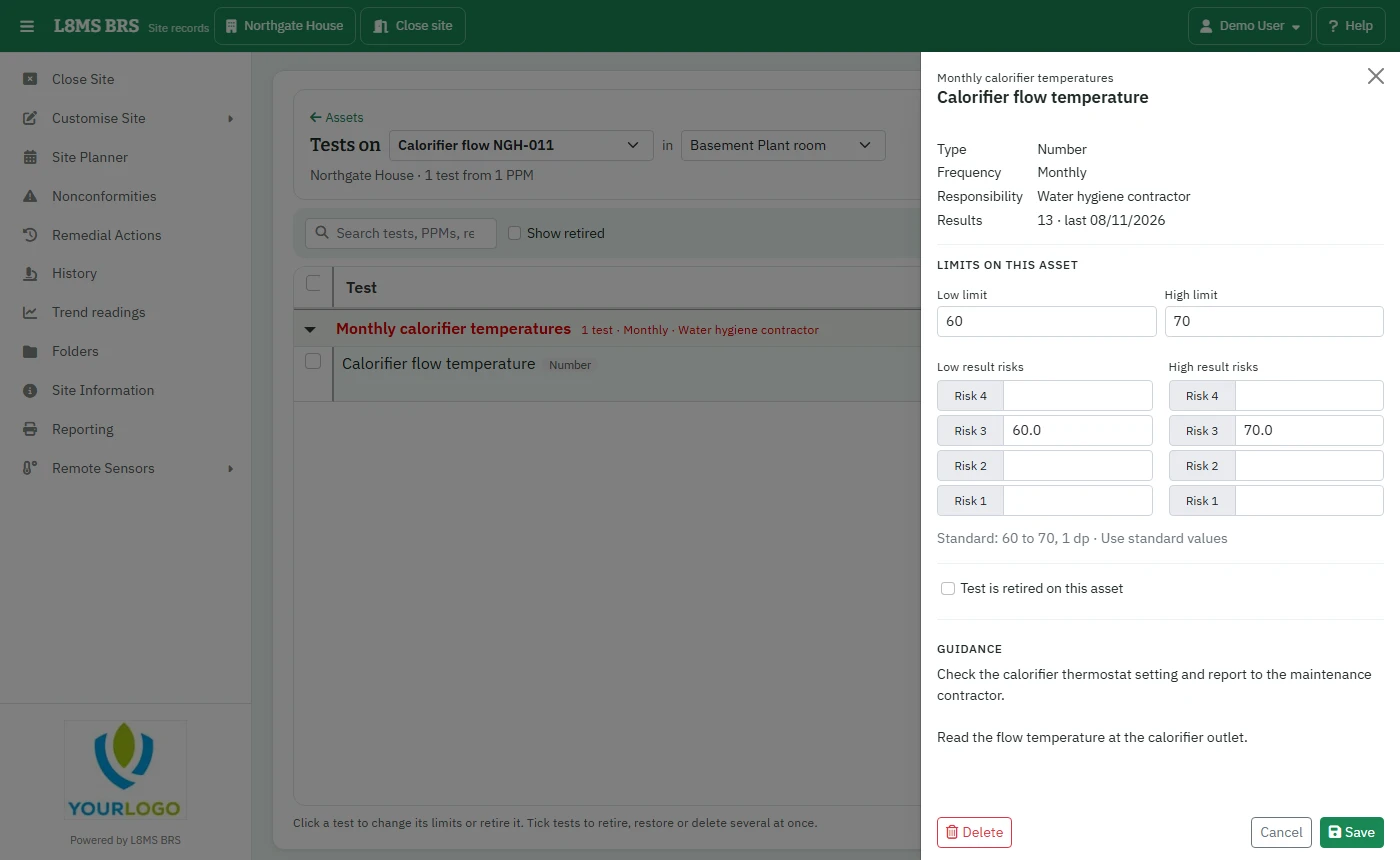 A test’s limits.
Use standard values puts back the limits from your company standard. Click Save.
Yes / no tests show their settings for reference — those are set on the test standard, not per asset.
Add tests
Click Add tests, pick a PPM and tick the tests to put on this asset. Tests already on the asset show as On asset; ticking a retired one restores it.
Retire, restore or delete
Tick tests and use Retire, Restore or Delete. A test with results can’t be deleted — retire it instead: scheduling stops and the history is kept.