By L8MS Team · Updated 10 Nov 2026
A one-off job is work outside the site’s regular schedule — a re-test, a reactive visit, a sampling round. Open the site and click Add Job on the site planner.
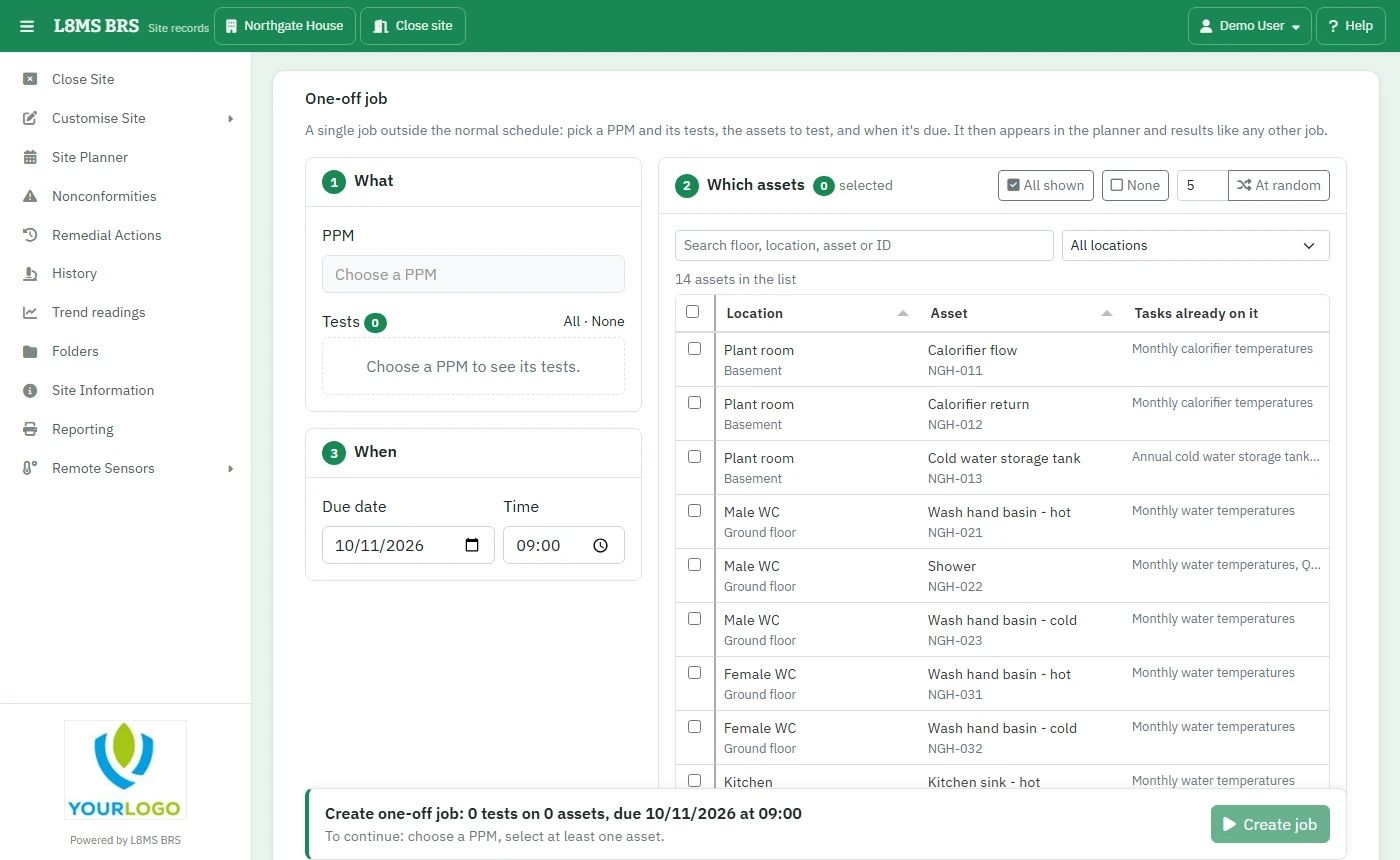 A one-off job.
Steps
What — choose the PPM, then tick its Tests (All / None).
When — the Due date and Time.
Which assets — search or filter by location and tick assets, or use All shown, or At random to pick a number of them at random.
Click Create job. From Job created you can go straight to Enter results or Create another.
The job also appears on the site planner and the Job List. Nonconformities can raise one too, with Raise job on Nonconformities.