By L8MS Team · Updated 10 Nov 2026
Results Viewer (a card on the Reports hub) is the quickest way to answer “what happened here?”.
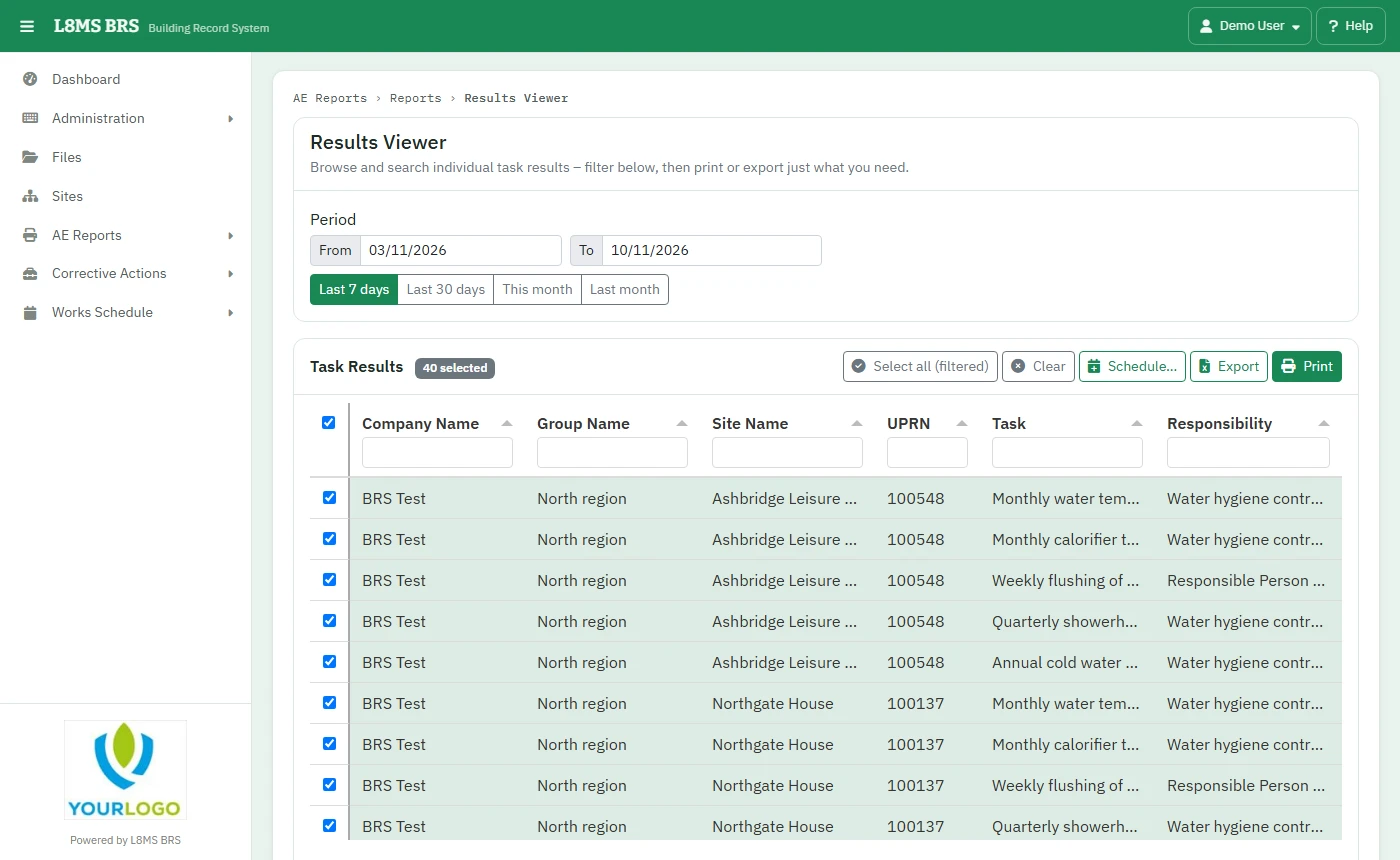 Results Viewer.
Steps
Set the Period.
Tick the Task Results you want — search to narrow the list, or Select all (filtered).
The results show on screen. Print prints them; Export downloads them to Excel.
Schedule… emails the Export for the same tasks regularly — see Scheduled reports. For one asset’s whole history, use Asset history in the site menu.