By L8MS Team · Updated 10 Nov 2026
Report Builder (a card on the Reports hub) produces the formatted Excel report you hand to a client or auditor. What goes in it is set by a report template.
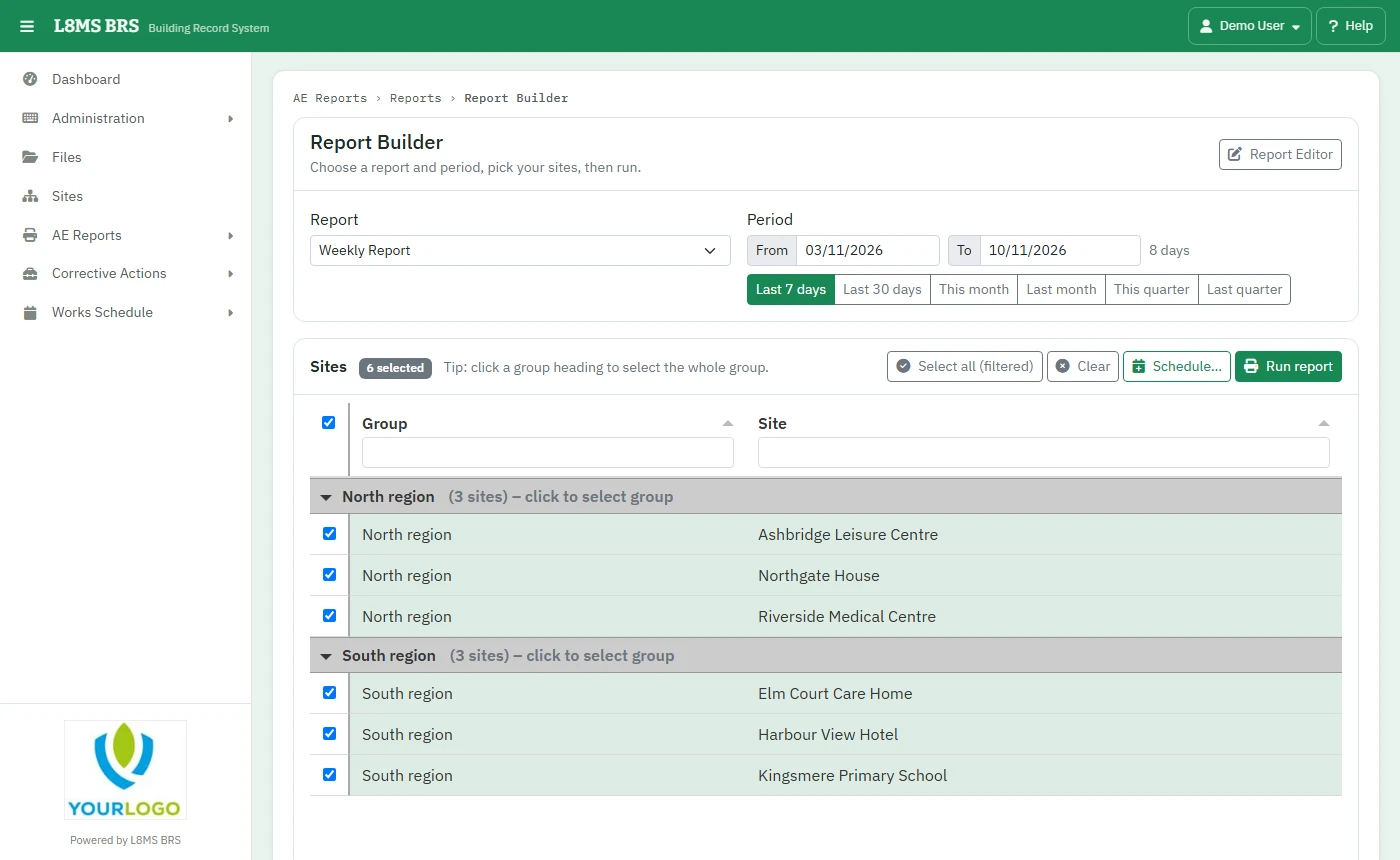 Report Builder.
Steps
Choose the Report (template).
Set the Period: pick Last 7 days, Last 30 days, This month, Last month, This quarter or Last quarter, or type the From and to dates.
Tick the Sites. Click a group heading to select the whole group; Select all (filtered) takes every site the search shows.
Click Run report. A progress window builds each section, then downloads the workbook. If some sections could not be built, it says which.
Every month without askingSchedule… emails the same report for the same sites on a timetable, with the dates worked out each time — see Scheduled reports.
Administrators can change what a report contains with the Report Editor button — see How to edit report templates and totals packs.