By L8MS Team · Updated 10 Nov 2026
While a visit is open in the L8MS BRS app, the app logs the phone’s location now and then. Administrators see those readings on the service visit page, in the Engineer location card.
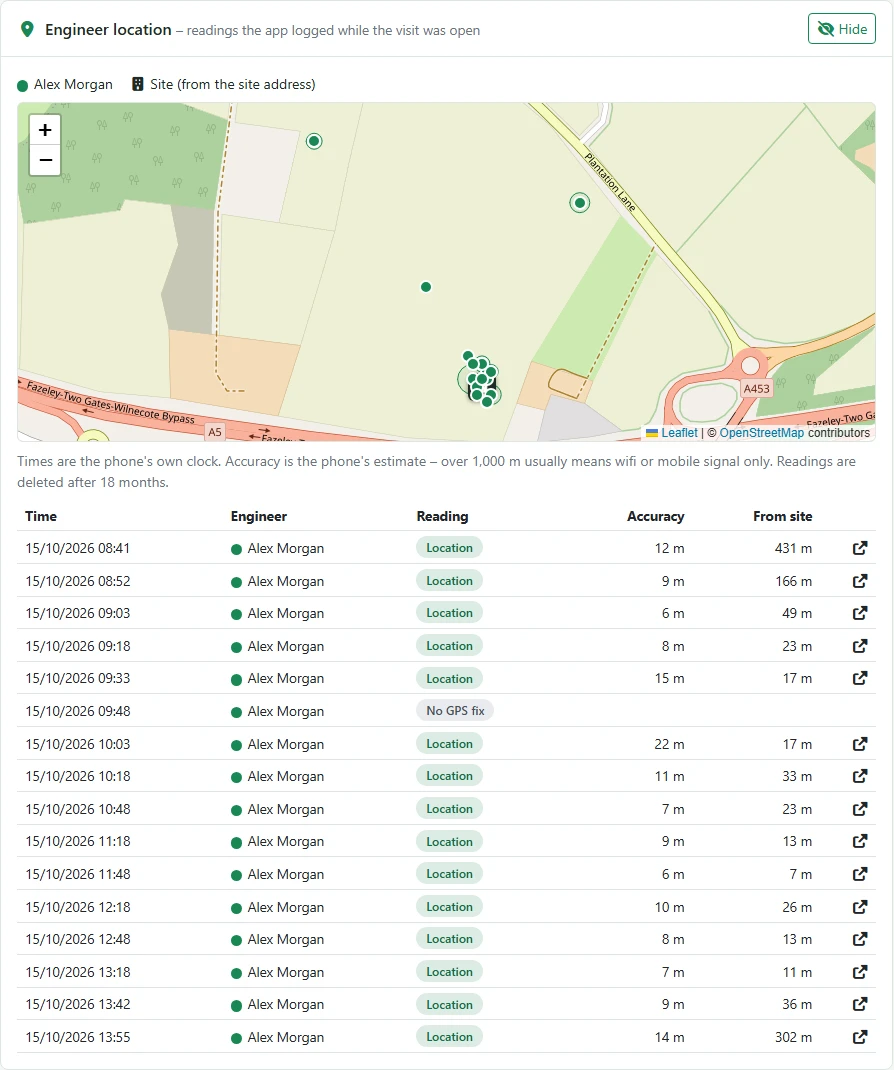 Engineer location.
Steps
Open the visit and click Show on the Engineer location card.
The map shows the site (from the site’s address) and each reading. The list gives the Time, Engineer, Reading, Accuracy and distance From site.
Reading it fairlyTimes are the phone’s own clock. Accuracy is the phone’s own estimate — over 1,000 m usually means wifi or mobile signal only. Fake location app means the phone reported a mocked location. If the site has no map position, distances can’t be shown — add one on the site’s edit page.
Readings are deleted after 18 months.