By L8MS Team · Updated 5 Nov 2026
Download Sheets (Survey Downloads) gives you blank templates and the question sets behind each survey, for working on paper or in a spreadsheet before entering data.
Steps
Choose your Company Name and Assessment Type. Leave Use standard answers and recommendations ticked to include the standard L8MS text in the downloads.
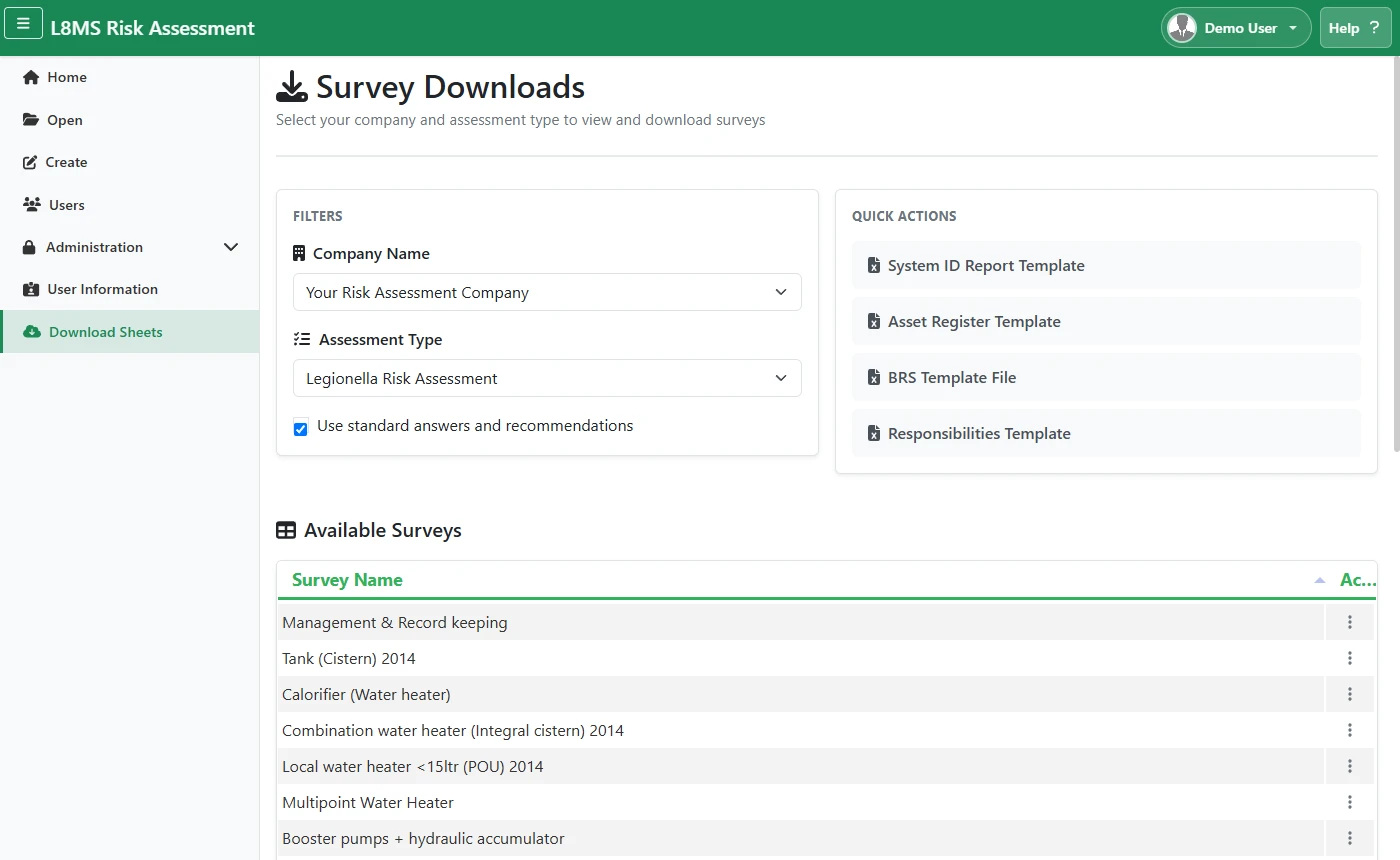 Survey Downloads.
-
Quick Actions download blank templates as Excel:
- System ID Report Template
- Asset Register Template
- BRS Template File (bulk residential)
- Responsibilities Template (allocation of responsibilities)
Download Standards gives you the standards documentation.
In the survey list, right-click a row (or use its actions menu) for Excel Download, Word Download, or View Questions.
Filling templates back inThe System ID and Asset templates can be filled in offline and re-imported from within an assessment — see the System ID and Asset register guides.