By L8MS Team · Updated 5 Nov 2026
The Asset register lists every individual asset on site — calorifiers, cold water tanks, outlets, TMVs, and so on — with where it is and its recorded temperatures.
Steps
Open Assets from the assessment sidebar (under Data). The table shows one row per asset: System, Floor, Location, Asset, temperature columns, Deadleg, Little Used and Comments.
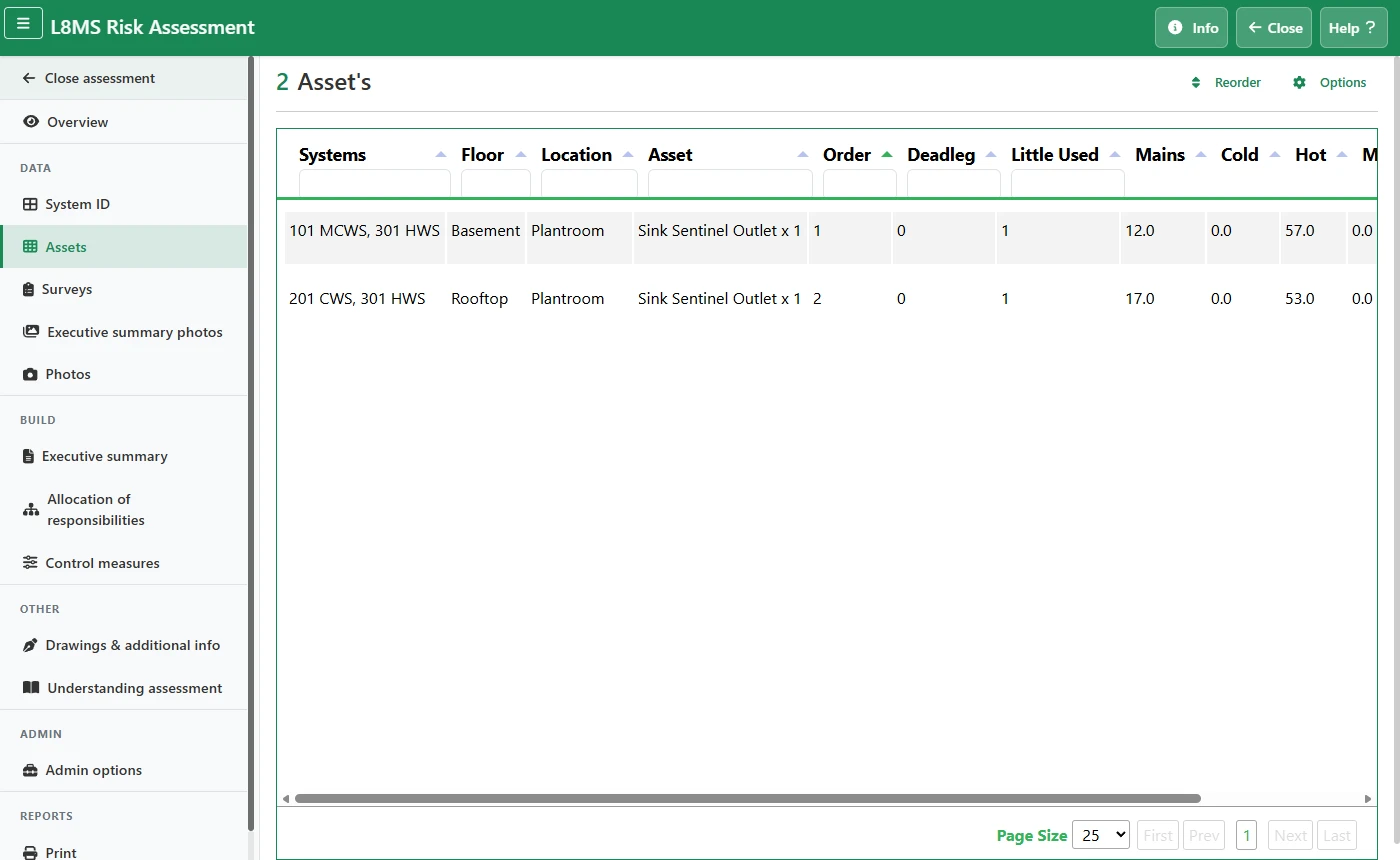 The Asset register.
Type in a column header to filter the list. The count next to the title updates as you filter.
-
The quickest way to build the register is a spreadsheet. Click Options › Download Blank Template, fill it in, then upload it. See Importing and exporting data with spreadsheets.
Uploading replaces the registerA new upload replaces the existing asset register for this assessment, in the spreadsheet’s row order. Use Download Current Records first if you need a copy of what is there.
Put the assets in walk order
The register (and the report) lists assets in their running order. If you walked the site in a different order from the spreadsheet, rearrange it:
Click Reorder at the top of the Assets page. Asset running order shows the register as a tree: floors, the locations on each floor, and the assets in each location. Expand or collapse a branch with its arrow.
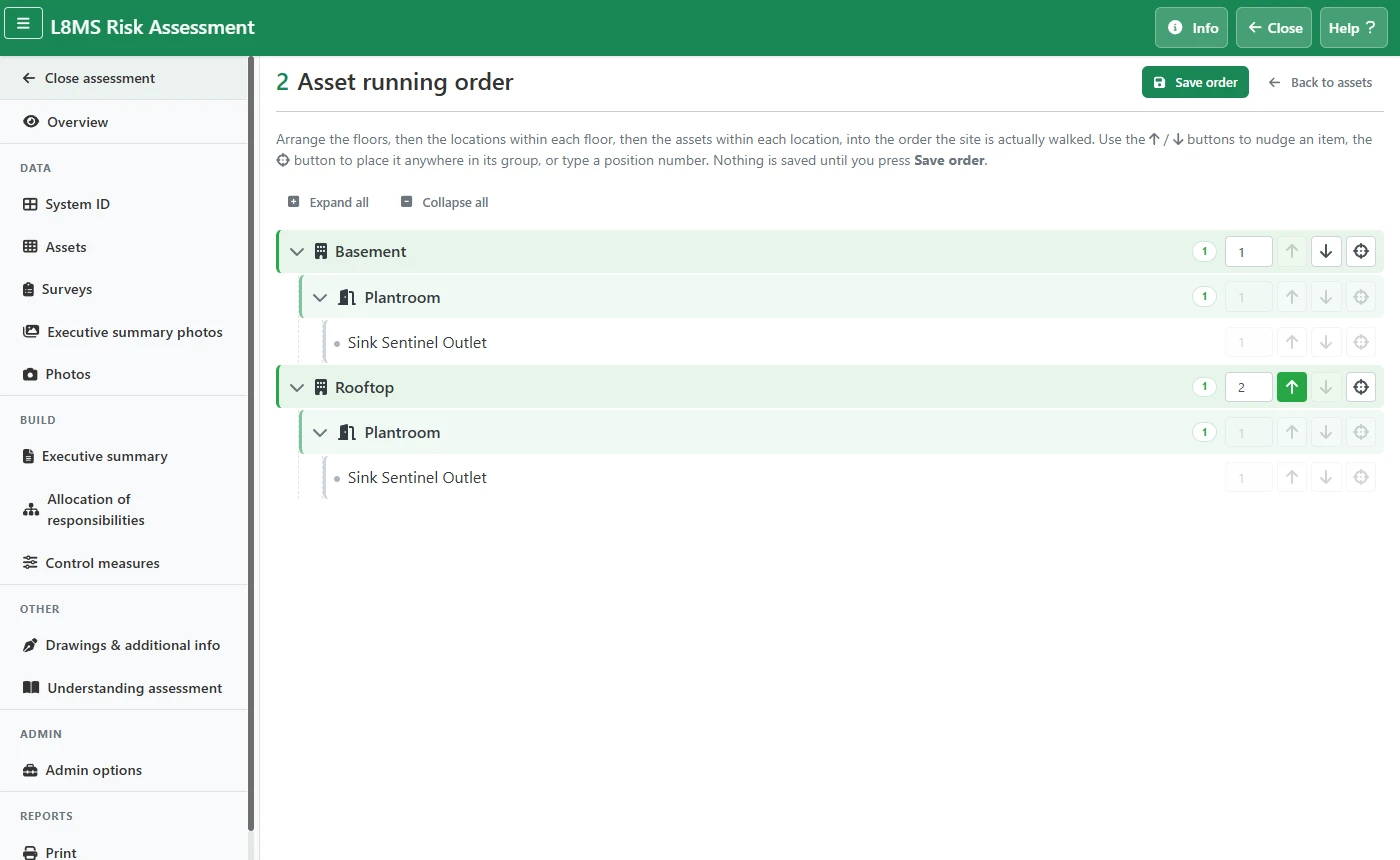 Asset running order.
Move an item within its group with the up / down arrows, or type a position number and press Enter. Moving a floor or location takes everything inside it along.
To move something further, click its crosshairs button, then Move here where you want it. Cancel (Esc) stops.
Click Save order. Nothing is saved until you do; Back to assets without saving leaves the order as it was.
Reorder after the last uploadA spreadsheet upload resets the order to the spreadsheet’s rows, so do your reordering once the register is final.
Temperature column labelsFor Legionella and Commercial assessments the columns are Mains / Cold / Hot / Mixed. For USA assessments they read City Water / Cold / Hot / Tempered.