By L8MS Team · Updated 10 Nov 2026
Works Schedule › Job Templates lists tasks across your sites and exports their task templates — Excel workbooks laying out the assets and tests, for example for a contractor working on paper.
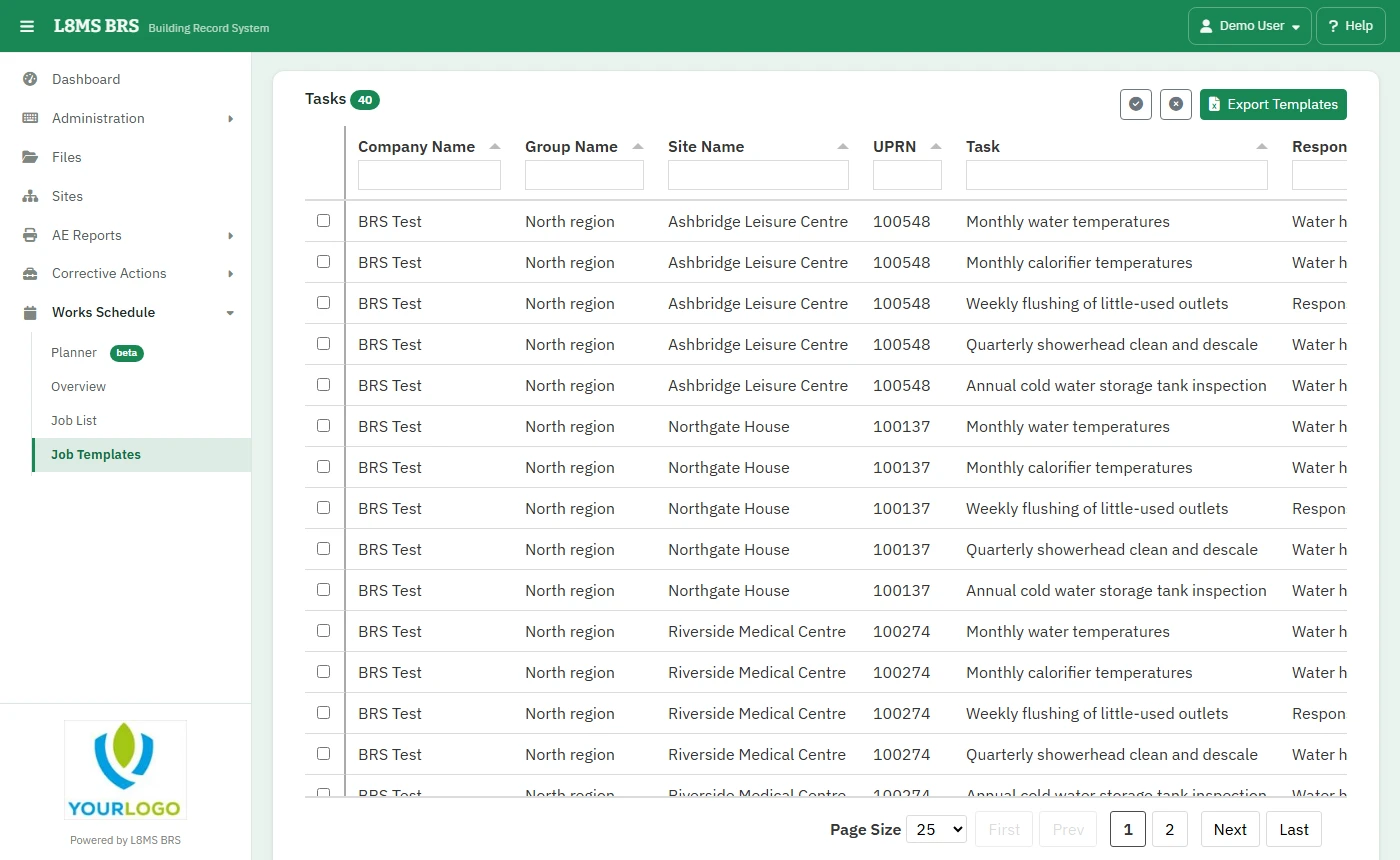 Job Templates.
Steps
Tick the tasks (the buttons select all or none).
Click Export Templates. You get an Excel workbook for each.
Entering the resultsTo load a completed sheet back in, use Worksheet › Upload worksheet on the visit’s results page, with the worksheet downloaded from that visit.