By L8MS Team · Updated 10 Nov 2026
Completed Tests Audit (a card on the Reports hub) is compliance evidence: one row for every test result entered in the period.
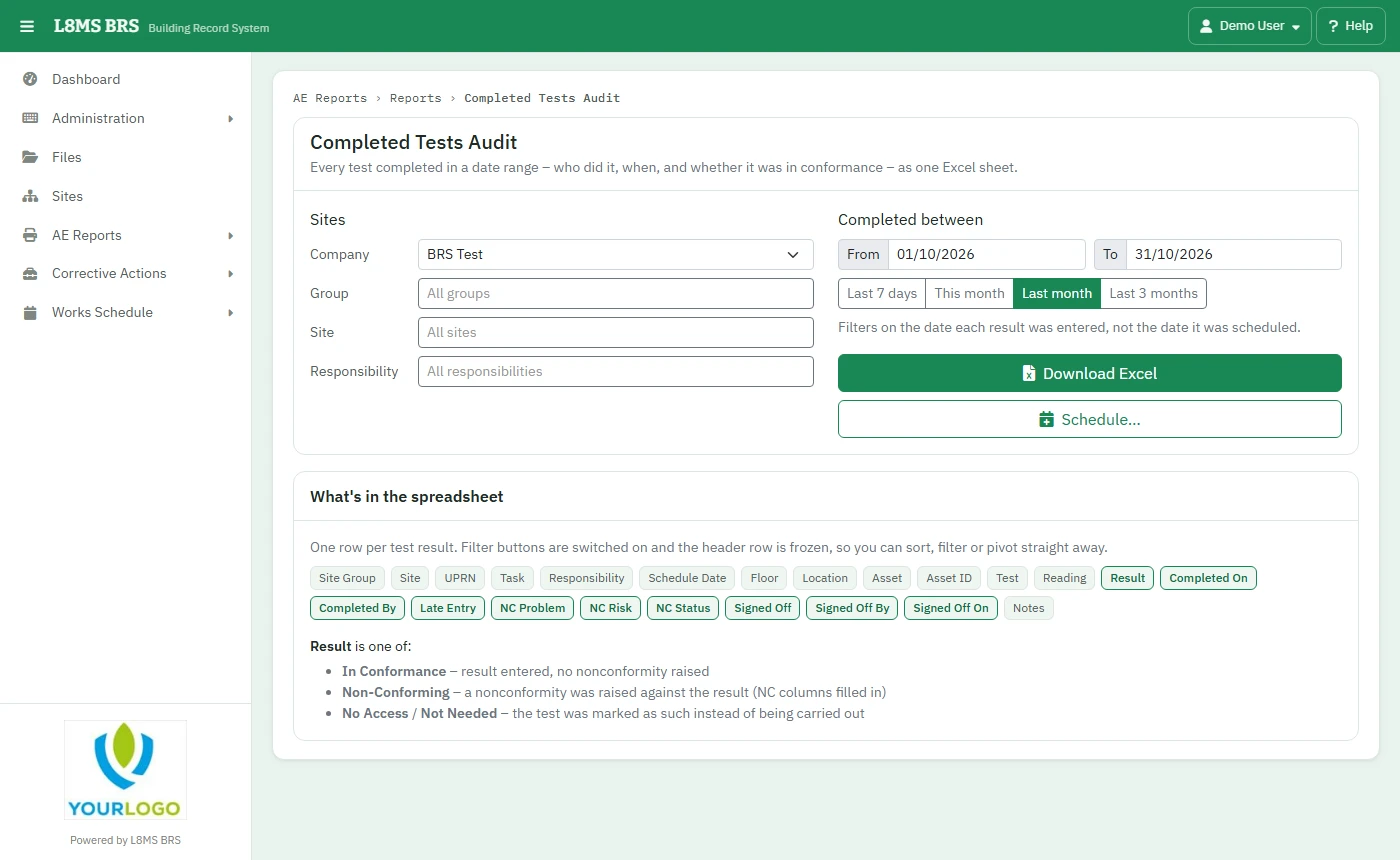 Completed Tests Audit.
Steps
Choose the Company, and narrow by Group, Site and Responsibility if you like (empty = all).
Set Completed between — Last 7 days, This month, Last month, Last 3 months or your own dates. This is the date the result was entered, not the date it was scheduled.
Click Download Excel. Large ranges across many sites can take a minute.
What’s in it
Site, group, UPRN, task, schedule date, floor, location, asset, test, the reading and result, Completed On and Completed By, Late Entry, any nonconformity (problem, risk, status), Signed Off by whom and when, notes, and whether it was In Conformance, Non-Conforming, No Access or Not Needed. The sheet has filters on every column.
Schedule… emails it automatically — for example every Monday for last week. See Scheduled reports.