By L8MS Team · Updated 10 Nov 2026
Appointed Persons (a card on the Reports hub) shows, for every site you look after, who holds each required appointment — and where there is a gap.
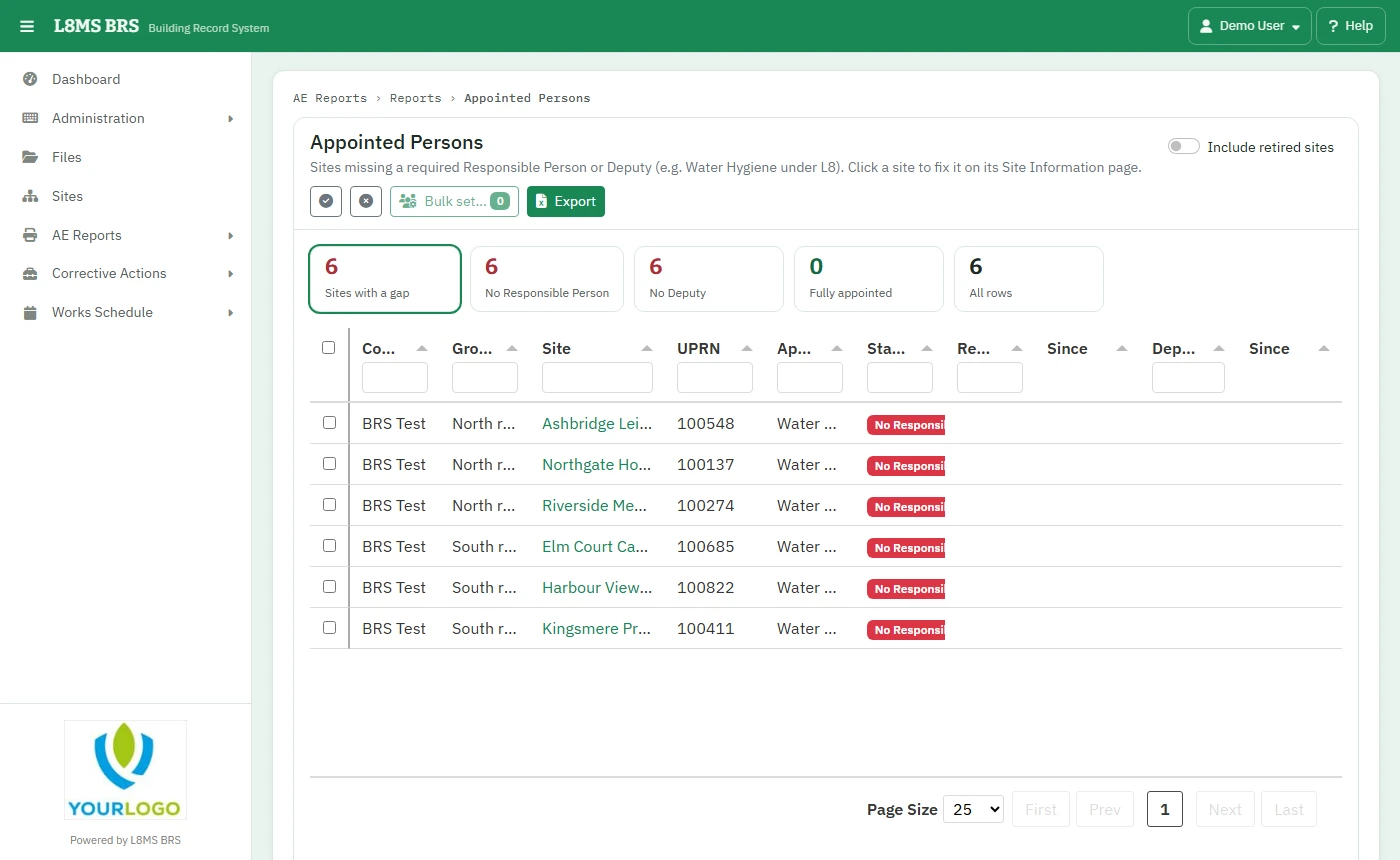 Appointed Persons.
Find the gaps
Click a figure: Sites with a gap, No Responsible Person, No Deputy, Fully appointed or All rows. Tick Include retired sites if you need them.
Click a site to open its Site Information page and appoint people there.
Export downloads the list.
Appoint across many sites
Tick the sites and click Bulk set….
-
Choose the Appointment, then for the Responsible Person and Deputy pick a person and what to do: Don’t change, Appoint where there isn’t one, Appoint on every selected site (replaces) or Remove. Set the Appointed date if it was in the past.
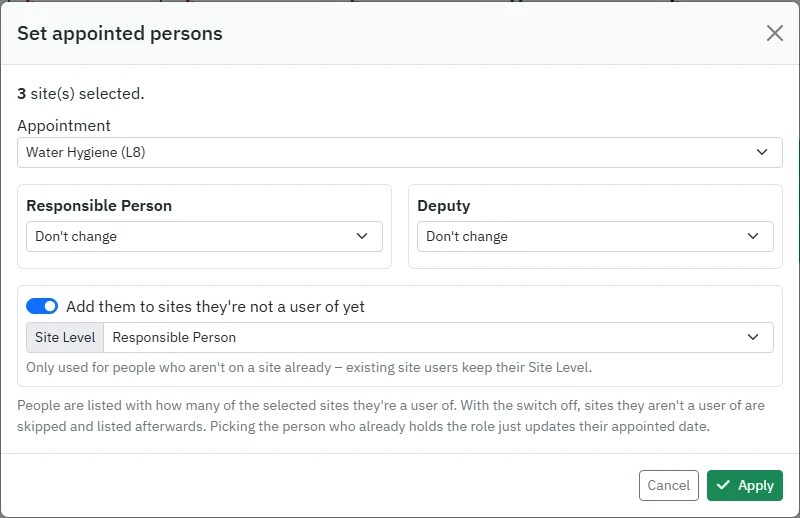 Setting appointed persons in bulk.
Add them to sites they’re not a user of yet (on by default) adds the person to those sites with the Site Level you choose. Turn it off and those sites are skipped.
Click Apply. Each site is reported as updated, unchanged, skipped (with the reason) or failed.