By L8MS Team · Updated 10 Nov 2026
Corrective Actions › Remedials lists the remedial actions on every site you can see, with the same tools as a site’s Remedial Actions.
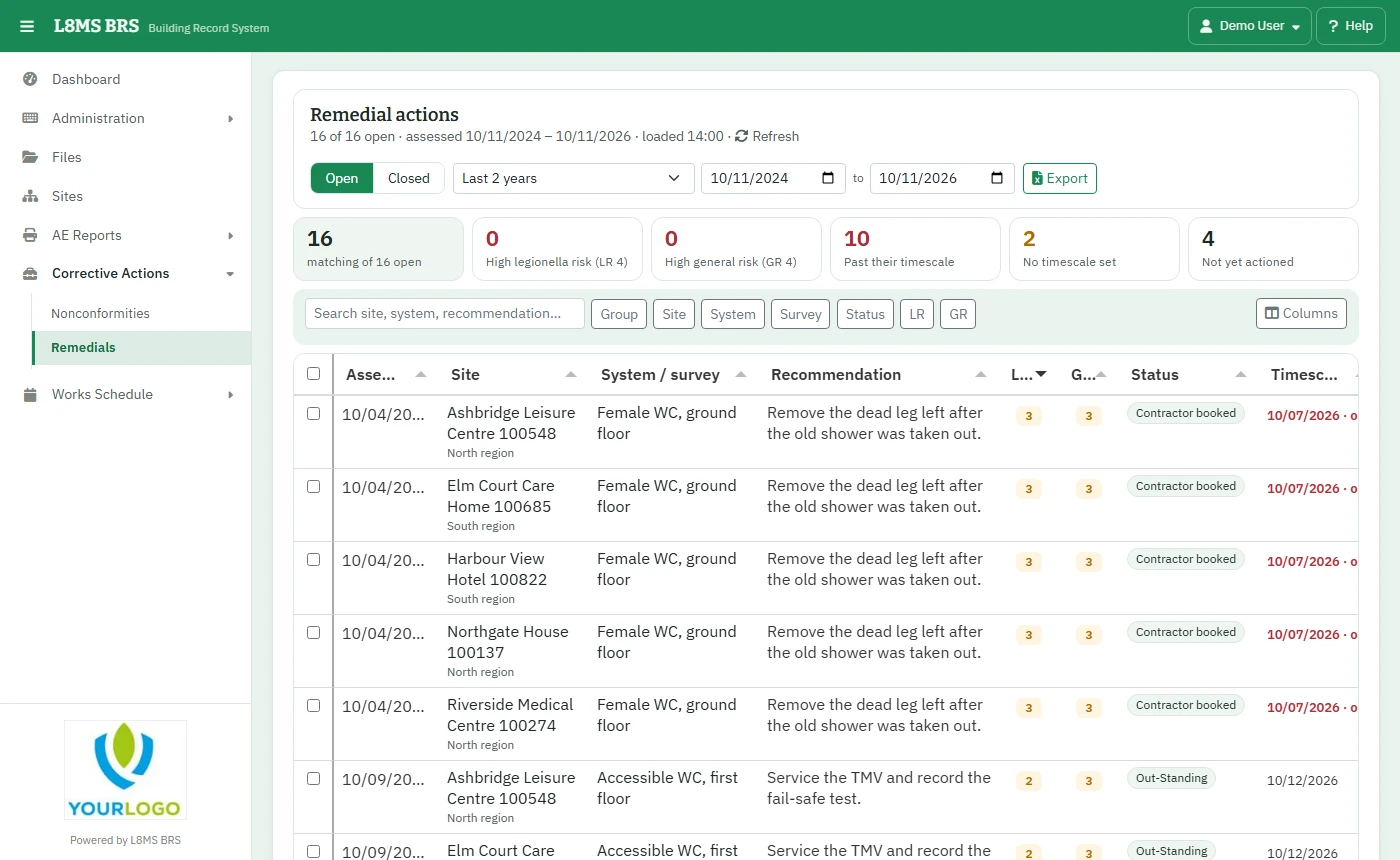 Remedial actions across sites.
Steps
Choose Open or Closed and how far back the assessments go.
Click a figure — High legionella risk (LR 4), Past their timescale, Not yet actioned… — or filter by Group, Site, System, Survey, Status, LR and GR.
Click a row to update it, or tick several and use Update / set timescale. Items on sites where you cannot make the change are skipped and counted.
Export downloads the filtered list to Excel — handy for sending a contractor their list.
What the risks meanLR is the Legionella risk and GR the general risk, each 0 to 4. 4 is high (red), 2–3 medium (amber), 0–1 low.