By L8MS Team · Updated 5 Nov 2026
Systems Standards and Asset Standards (Administration › Standards) hold the pick-lists used when an assessor records a system or an asset.
Systems Standards
One entry per Type of assessment and Section — System Ref, System Type, System Location, System Access, System Served, System Comments. Each entry is a line of standard text with an order number.
Asset Standards
Same idea, with sections Comments, Details, Floor, Location, TOE (type of equipment).
Add / edit / delete
Click Add New Option. Choose the Type of assessment, the Company (L8MS Standard global items can only be added by L8MS staff), the Section, an Order number, and the Text.
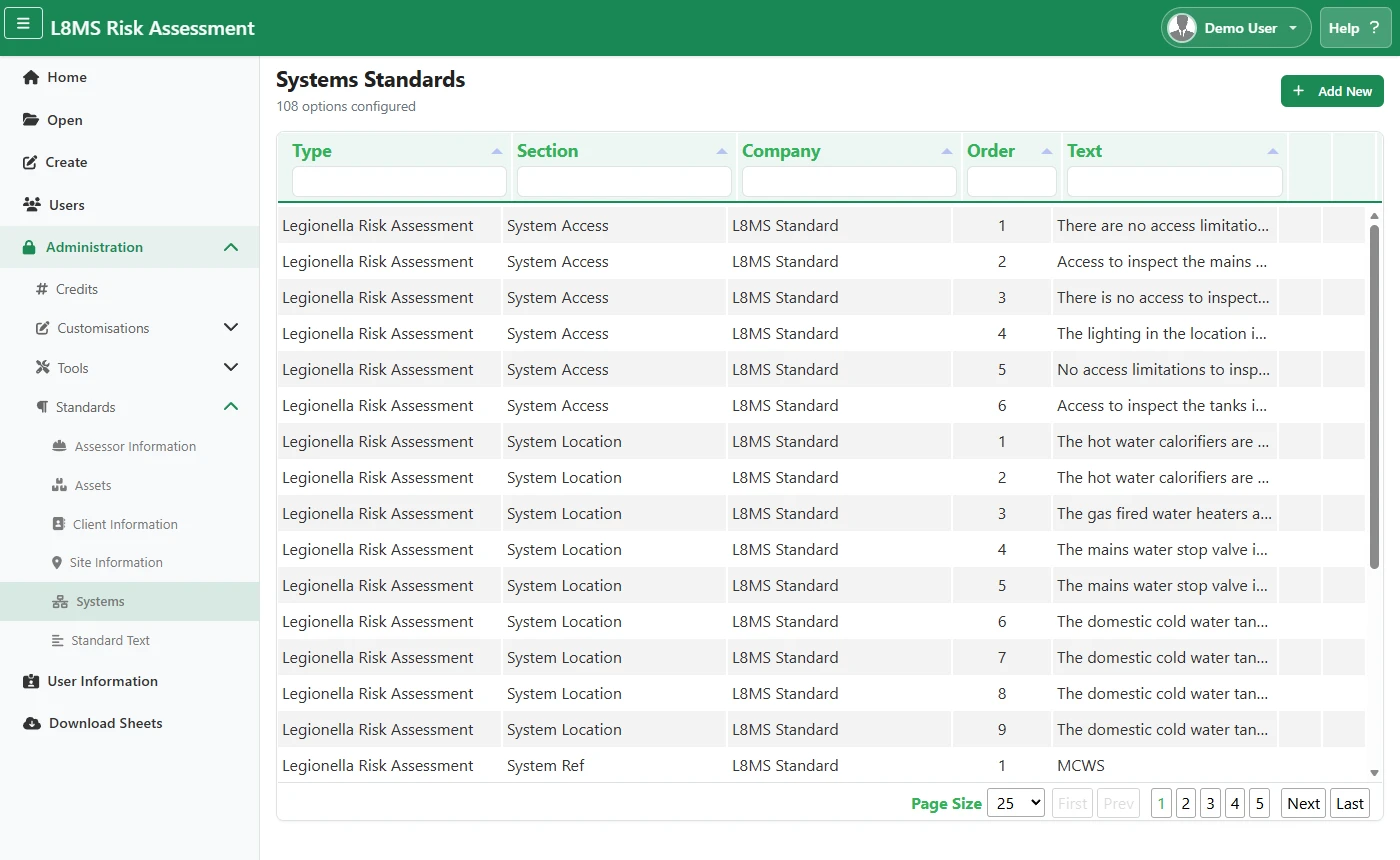 Systems Standards.
Use the edit and delete icons on a row to change or remove an option. You can edit your own company’s items; L8MS Standard items can only be edited by L8MS staff.
The System Ref and System Type options are the list an assessor can pick from on System ID (they can also type their own). For control-scheme wording, see Control measure templates.