By L8MS Team · Updated 10 Nov 2026
Reporting in the site menu opens Visit reports for the open site: every visit in a period, where it stands, and a combined PDF of the ones you pick.
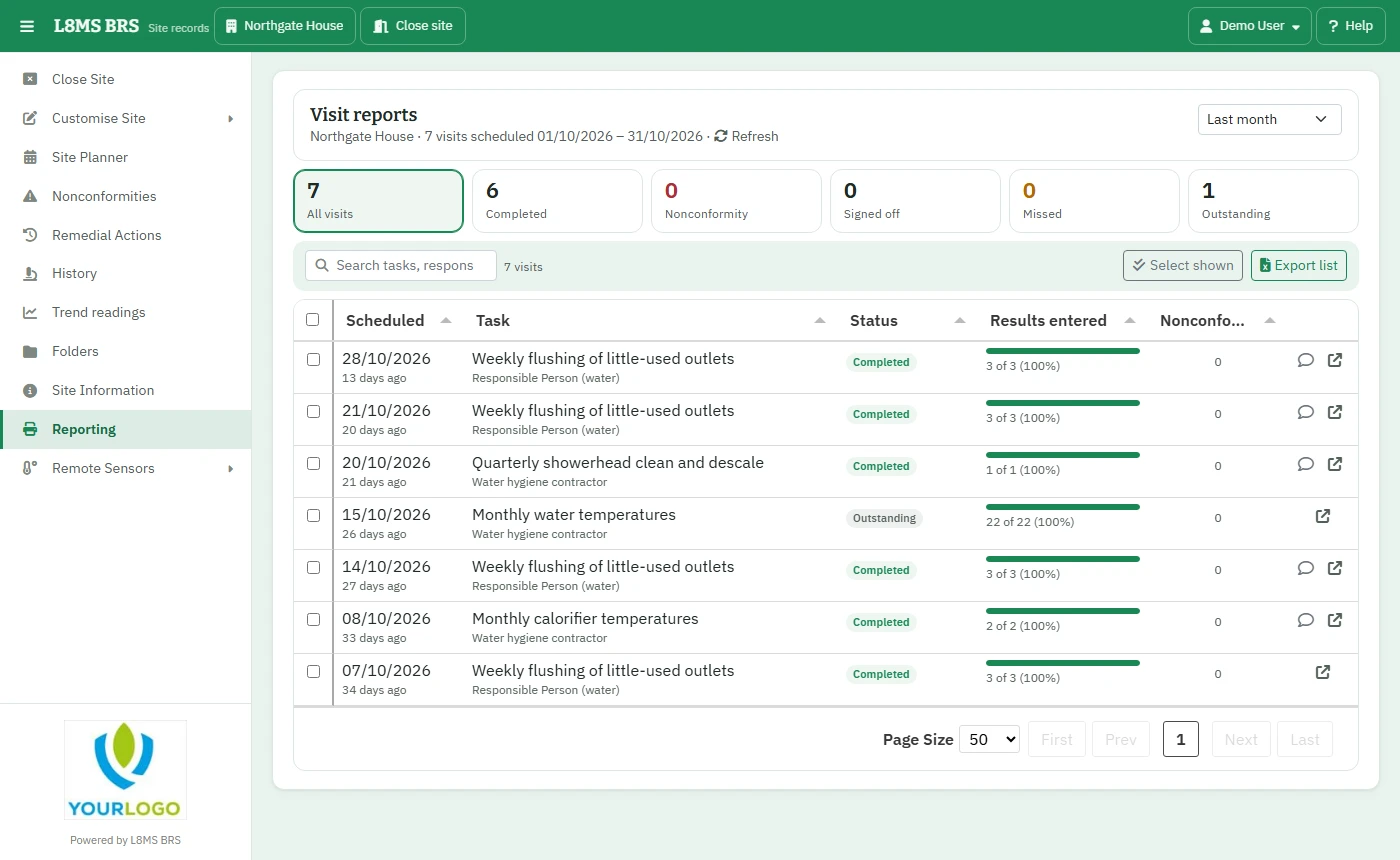 Visit reports.
Find the visits
Choose the period: Last month (the default), This month, Last 3 months, Last 12 months or Custom range.
Click a figure to filter: Completed, Nonconformity, Signed off, Missed, Outstanding. Search by task, responsibility or notes.
Each row shows the date, task, status, how much has been entered and any nonconformities. The arrow opens the visit’s results.
Build a PDF
Tick visits (or Select shown) — up to 150.
Click Build PDF report. The progress window works through each visit; you can cancel.
Click Download PDF. The report uses your company’s Business Information layout.
Export list downloads the visits shown as a spreadsheet.