By L8MS Team · Updated 10 Nov 2026
AE Reports › Service Visits lists every visit planned between two dates across your sites, and where each is up to. A visit is ready to print once the engineer has finished it and uploaded it from the app; until then the page shows what is holding it up.
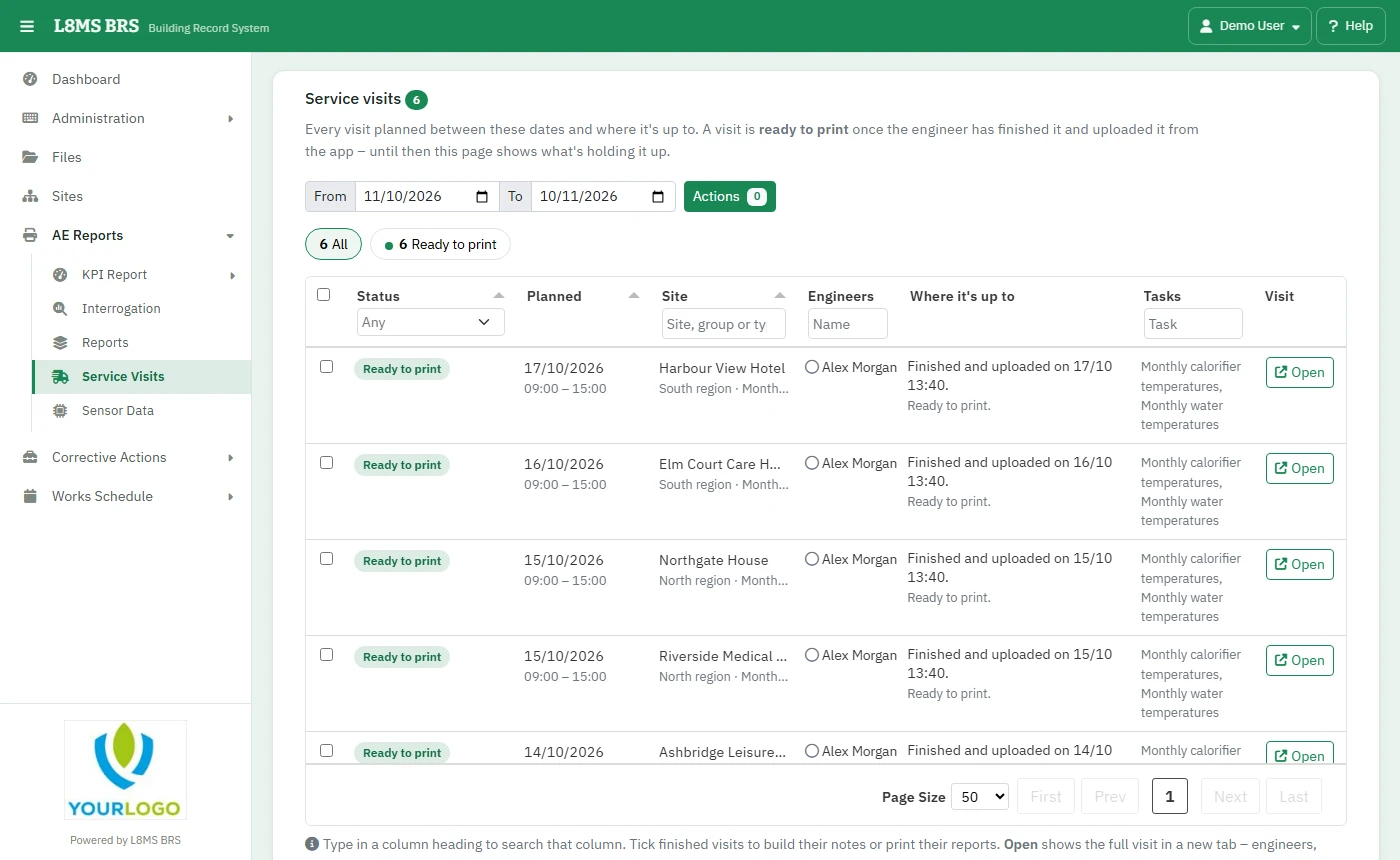 Service Visits.
Steps
Set the From and to dates.
Read each visit’s state: Planned, not downloaded, Downloaded but not uploaded, Overdue, or Finished and uploaded. Engineers show as None assigned if nobody is on it. Search any column.
Open opens the visit in a new tab.
Print in bulk
Click Select all ready to print, or tick finished visits.
Build notes adds a summary of the results to visits that have no notes yet.
Print reports (zip) downloads a report for each selected visit, zipped.
Export list (Excel) downloads the visits shown.