By L8MS Team · Updated 10 Nov 2026
Administration › Alterations › Service Visits changes many service visits at once — when an engineer leaves, or a week’s work has to be re-allocated.
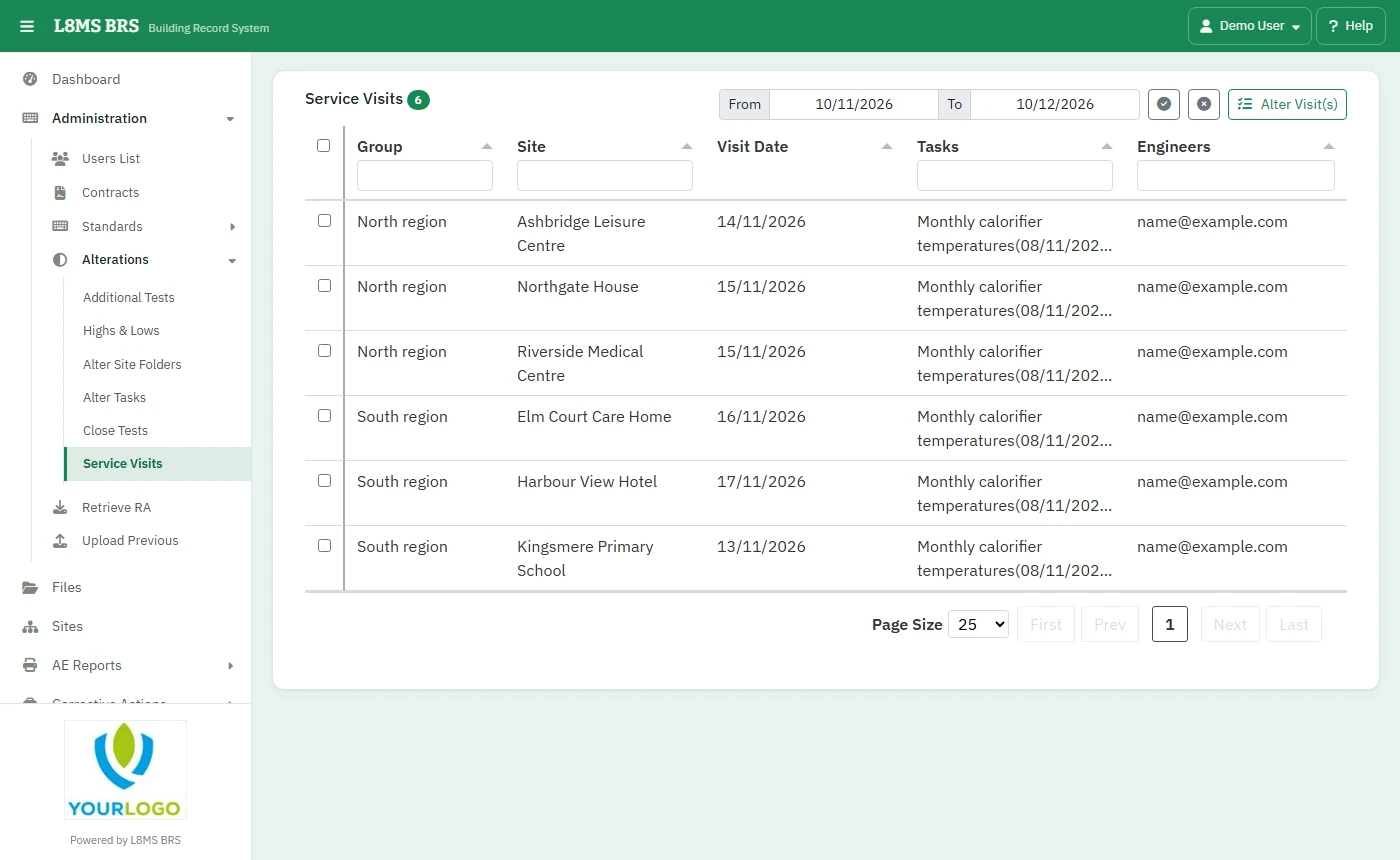 Altering service visits.
Steps
Set the From and to dates and filter by group, site, tasks or engineers. Tick the visits.
Click Alter Visit(s). Choose a Username and add them to, or remove them from, the selected visits.
Or use Delete Service Visit(s): Delete Visit(s) only leaves the tasks to be planned again; Delete Visit(s) and tasks removes both.
Only visits not yet workedChange or delete visits that haven’t been done. Changing a visit that already has results makes the record confusing.