By L8MS Team · Updated 10 Nov 2026
Administration › Standards › Standard Texts holds ready-made notes people pick from instead of typing them out — on results, nonconformities, remedials, visit notes and photos.
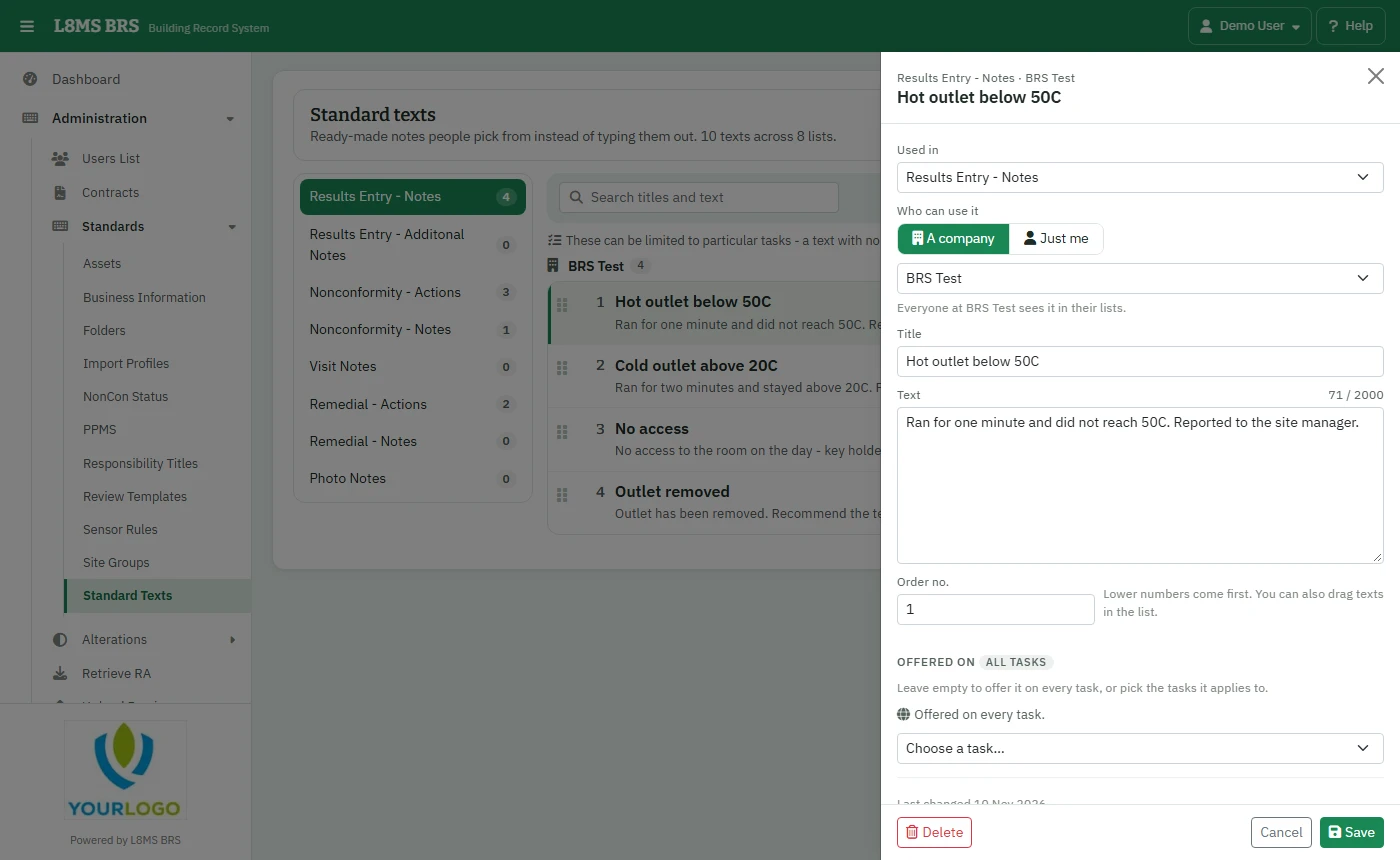 Standard texts.
Steps
Pick the list on the left (where the text is Used in) and search if needed.
Click Add text, or click a text to edit it.
-
Fill in:
- Who can use it — A company (everyone in it) or Just me.
- Title — what people pick from the list, for example No access.
- Text — the words that go into the notes.
- Order no. — lower numbers come first. You can also drag texts in the list.
- Offered on (result texts) — leave empty to offer it on every task, or pick the tasks it applies to.
Click Save.
Who can change whatYou can change your own texts and those of companies you administer. L8MS standard texts and other companies’ texts are view only. Deleting a text doesn’t change notes it was already copied into.